 By Amotion AI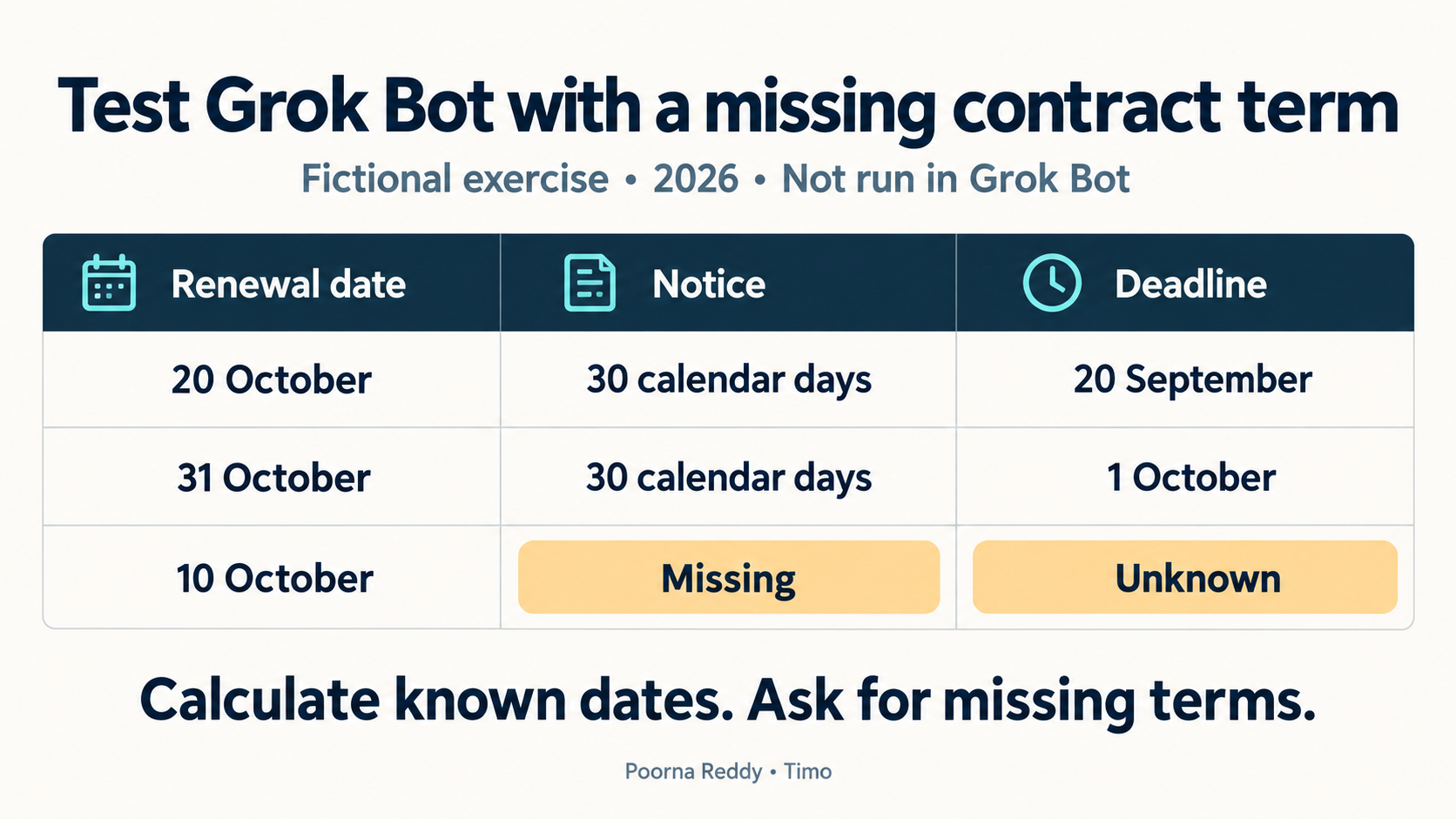
Start with a task you can check: ask Grok Bot to turn three sample contract records into a table of renewal dates and cancellation deadlines. Compare its answer with the calculations below. You can try this first task without connecting your inbox or purchasing system.
Grok Bot is an AI assistant that can carry out tasks using files, applications and websites. It works on a cloud computer, a remote computer that can keep running after you close your laptop. Grok Bot overview.
The records in this exercise are fictional. I checked the reference dates independently, but have not run this exercise in Grok Bot. The setup instructions follow its current documentation.
Bots on one account share files and logins
Bots on the same account share files and browser logins on their cloud computer. They also share credentials used by command-line tools, such as stored access keys. If one Bot signs in to a business account, another Bot may be able to use that login. Computer and app model.
Attach only the sample records for this exercise. The result should be a renewal watchlist: a table showing which contracts need attention and by what date.
If you later connect a purchasing system, give the Bot only the access the job requires. An account that can edit contracts still has that ability even if your prompt says “read only.” Use the application’s permission settings to restrict what that account can change.
Set up a Bot to review renewals
Use the official getting-started guide to install the application and sign in with the appropriate Cursor account. Eligible access can come through a supported Cursor plan or an individual SuperGrok account link. The guide also explains the cloud-storage requirement, which matters if your organization restricts where working data may be retained.
Enter these details when creating the Bot:
Name: Renewal reviewer
Job: Contract renewal review
Description: Prepare renewal decisions from the contract records I provide. Identify the supplier, renewal date, cancellation-notice period and source for each fact. Calculate notice deadlines only when both required inputs are present. Return a review table. Never contact a supplier, change a subscription or approve a renewal.
The role states the job and its limits. The actual task should still identify the files, reporting date and expected output, because those change from one assignment to another.
Attach the three sample contract records
A cancellation notice period tells you how far in advance you must notify the supplier. In this sample, a contract renewing on 20 October with thirty days’ notice has a cancellation deadline of 20 September.
Use 20 September 2026 as the reporting date. Count calendar days, including weekends. These fictional terms have no business-day adjustment; check the actual wording when using real contracts.
| Source record | Supplier | Annual renewal amount | Renewal date | Cancellation notice |
|---|---|---|---|---|
| N-01 | North Analytics | USD 6,000 | 20 October 2026 | 30 calendar days before renewal |
| S-02 | South Archive | USD 12,000 | 31 October 2026 | 30 calendar days before renewal |
| W-03 | West Scheduler | USD 3,600 | 10 October 2026 | Not stated in the supplied extract |
West Scheduler’s notice period is missing. Grok Bot should leave its cancellation deadline unknown and ask for the missing term. Guessing thirty days would create a deadline the supplied record does not support.
Copy the records into a small document, or download the sample input file. Open the new Bot's conversation, attach the file and confirm that the attachment appears before sending this task:
Prepare a renewal watchlist using only the attached sample records.
Use 20 September 2026 as the reporting date and calendar-day arithmetic.

For every supplier, show the record ID, renewal date, stated notice
period, calculated notice deadline and next action for a human owner.
Do not infer a missing notice period or an owner's decision.
Include renewals after 20 October when their notice deadline needs
attention sooner. Explain the calculation for every deadline.

Return the table in this conversation. Do not contact suppliers,
change a subscription, schedule another run or connect an application.
The instruction about later renewals matters. A list filtered only by the next thirty days of renewal dates would omit South Archive, even though its cancellation decision is due on 1 October.
Check the dates in the returned table
| Supplier | Notice deadline | Correct interpretation on 20 September |
|---|---|---|
| North Analytics | 20 September 2026 | The example's notice deadline is today. A human must decide what to do. |
| South Archive | 1 October 2026 | There are eleven calendar days until the notice deadline. Keep it on the watchlist. |
| West Scheduler | Unknown | The supplied extract cannot establish a cancellation deadline. Obtain the missing term. |
The calculation is renewal date minus the stated notice period. For South Archive, 31 October minus thirty calendar days gives 1 October. West Scheduler's renewal date alone is insufficient to perform that calculation.
Check four things in the returned table. Each source ID must match the input. Each known deadline must match the arithmetic. The missing notice period must remain unknown. Finally, the next action must ask the responsible person for a decision rather than asserting that cancellation or renewal has been approved.
If the Bot gives a wrong answer, ask it to identify the exact source and calculation that produced it. A vague request to “be more accurate” gives you less information about whether the problem was extraction, arithmetic or an invented assumption.
Test a changed term and a conflicting record
After the three-record exercise, change one input at a time. Change North Analytics to sixty calendar days' notice. Its reference deadline becomes 21 August 2026, which is already past on the reporting date. The output should preserve that fact and ask the owner to review the available options; it should not describe 20 September as the deadline or promise that cancellation remains available.
Next, supply an amendment that states a different renewal date without saying whether it supersedes the original record. A useful answer identifies both sources and the conflict. The owner must establish which term governs before the Bot presents one deadline as settled.
Keep dates and contract interpretation separate. This exercise supplies explicit calendar-day rules so the arithmetic can be checked. A real clause may refer to receipt of notice, business days, a time of day or a particular delivery method. Capture those terms and have the responsible contract owner confirm their meaning before relying on the date.
Check a small export before connecting a business account
If the sample result is correct, repeat the check with a small export your organization permits you to use. Include different contract terms and missing fields. This gives you more evidence before deciding whether to connect a live purchasing system.
Decide whether the Bot may only draft the list or also change records and send messages. For a first renewal check, a draft may be enough. Set approval rules for any wider actions. Grok Bot's Auto Review uses a model to review actions, so combine it with restricted account access and clear instructions. Approval controls.
Retain the reporting date and source references in every output. A correct watchlist can become outdated when a contract changes or an owner makes a decision. The next run should read the current records rather than treat the last answer as the source of truth.
Once the process is repeatable, the separate guide to Grok Bot routines and usage limits explains how to choose a schedule and estimate its workload.
Questions about this first task
Do I need to give Grok Bot access to my inbox?
The sample task uses attached records, so inbox access is unnecessary. Add an application only when the task needs information that you cannot appropriately provide through the initial export.
Can I isolate client accounts by creating separate Bots?
Bots on one account share files and logins. Calling them “Client A” and “Client B” does not keep one client’s files separate from the other’s. Confirm with your organization how client accounts and data must be separated before connecting them.
Does this example prove that Grok Bot handles renewals correctly?
The dates in this guide provide answers you can compare with your own test. I checked those calculations independently; I have not tested Grok Bot’s performance on this exercise.
I publish practical AI workflow examples through Timo. Follow me on LinkedIn for more examples of giving AI a task, checking its answers and choosing what it can do next.